Prerequisites
- 4. Classes/Classes (I)
- i. Review/CS22/10-16 Lecture 13 & 14 > Understanding Bobcat UI
- i. Review/CS22/10-23 Lecture 15 & 16 > Cheat sheet Note: The prerequisites are important keynotes that would help you understand the lecture review!!
Recap
tl;dr
ListBox
Getting the position of the entry
In order to get the position of the text entry (each text in the listbox is an entry), you need to call the value function through the arrow operator (->)
void Application::someRandomFunction() {
	int positionFromList = listBox->value();

	cout << "Ran the function on entry  " << positionFromList;
}
In this example, the selected entry is the first element of the list. However, the first index starts at 1. 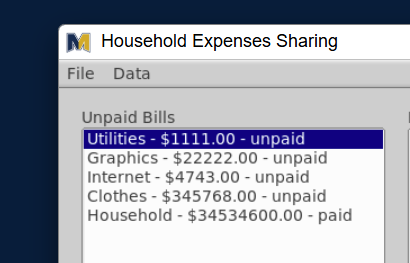
Group Question
Homework Todoist System
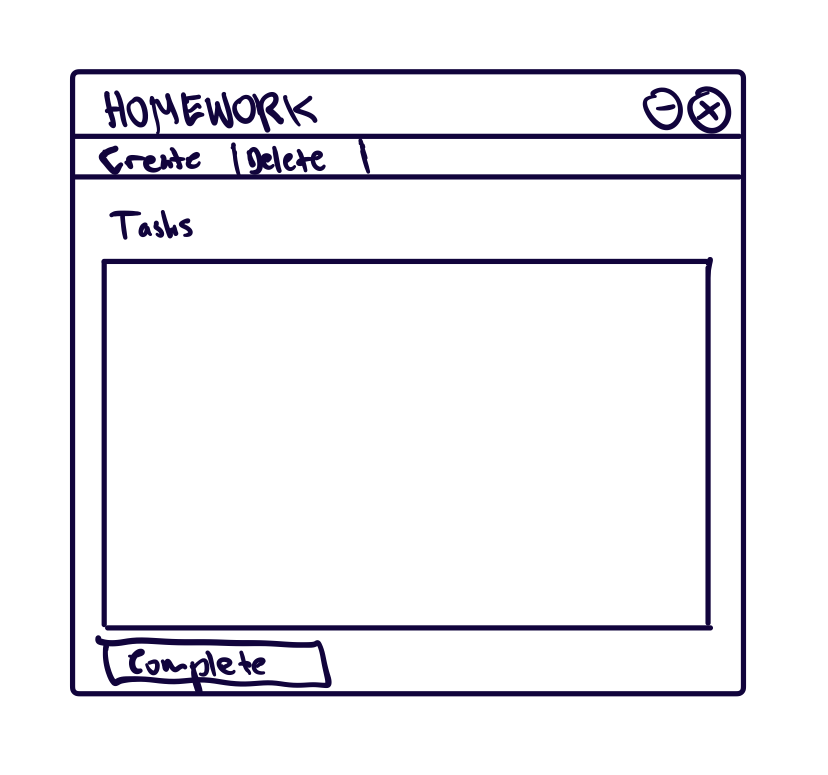
Create a homework Todoist system where the user could create tasks and show them in the active list.
Objectives
- Create a struct
task_twith the identifying members:time_t timestamp,bool done, &std::string description - Create the main window (500 x 500)
- Initialize two menu items:
Create&Delete(only for the challenge) - Create a label called
Tasks - Create a list box of tasks
- Lastly, develop the
Completebutton
- Initialize two menu items:
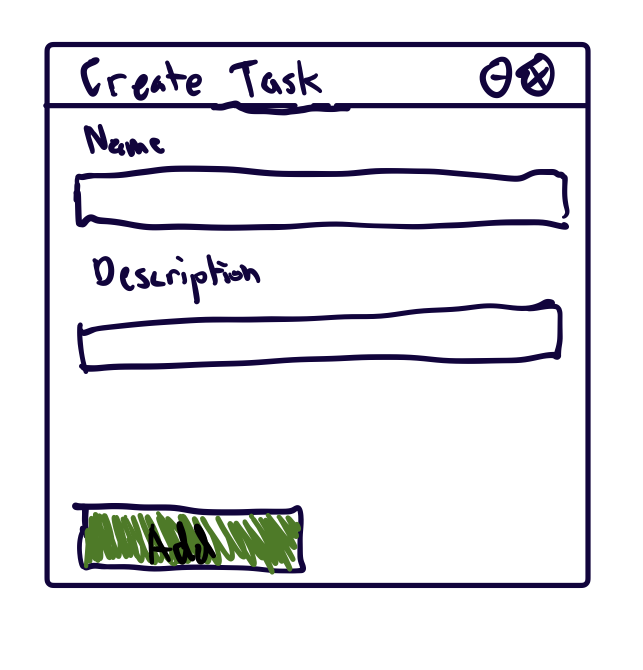
- Inside the Create Task window
- Identify the name and description
- Once you get those two values, add that task to the vector of
Task
- With the events on the Main Window,
- Bind the on click for create menu with a function
- Bind the on click for complete button with a function
- Every time the task is added or completed, the list refreshes only to show the tasks currently available to do
- With the events on the Create Task window,
- Bind the on click for the add button to add a task and update the list
Challenge:
You may need to reference the C++ vector documentation
- For every time there’s a new task added, add a suffix to the label that shows the status of the number of tasks are available to do
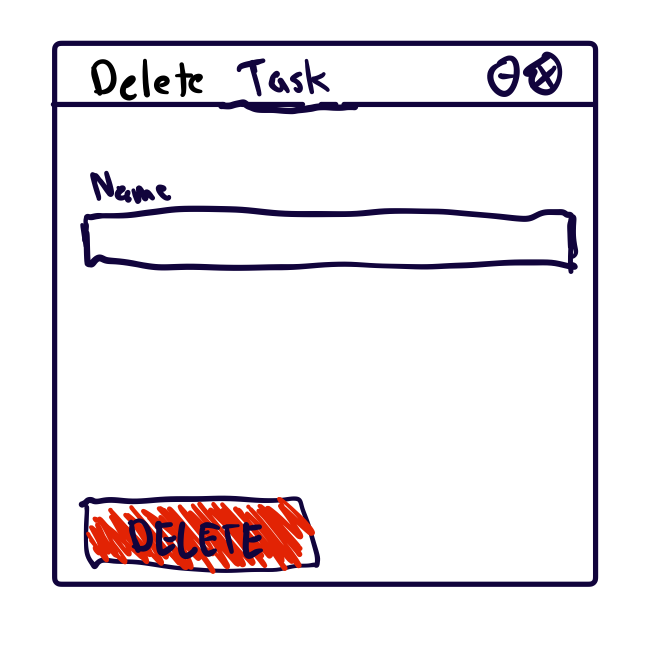
- For finishing the delete task window, create that window and have it linked to the menu button
Deleteon the main window- Don’t forget to link the delete button inside the delete task window with the event handler
- And also retrieve the value of the task and search its index on the vector of
Task
- If you could figure out how to delete the task without marking complete, think of how to manipulate the vector of struct and it’s the opposite of
push_back(Hint:vector.begin()defines the start index of vector) - You could also use the filesystem for saving the data
 |  |  |
|---|
General Questions
To be added by 12am tonight