#include <Application.h>#include <FL/Enumerations.H>#include <FL/fl_ask.H>#include <bobcat_ui/bobcat_ui.h>#include <bobcat_ui/button.h>#include <bobcat_ui/textbox.h>#include <bobcat_ui/window.h>#include <cctype>#include <cstddef>#include <fstream>using namespace std;using namespace bobcat;Application::Application(){ readFromFile(); // Initialize your app here window = new Window(100, 100, 400, 400, "Blank App"); gameInterface = new Window(0, 20, 400, 330); gameInterface->color(FL_YELLOW); displayTextBox = new TextBox(20, 20, 360, 25, "Game Interface"); displayTextBox->labelsize(24); displayTextBox->align(FL_ALIGN_CENTER); displayTextBox->labelfont(FL_BOLD); wordTextBox = new TextBox(20, 120, 360, 25, ""); wordTextBox->align(FL_ALIGN_CENTER); wordTextBox->labelsize(18); deleteButton = new Button(50, 280, 145, 25, "Delete"); submitButton = new Button(205, 280, 145, 25, "Submit"); initRow("QWERTYUIOP", 180); initRow("ASDFGHJKL", 210); initRow("ZXCVBNM", 240); gameInterface->end(); toggleButton = new Button(20, 350, 100, 25, "Hide"); window->show(); ON_CLICK(toggleButton, Application::handleToggleClick); ON_CLICK(deleteButton, Application::handleDeleteClick); ON_CLICK(submitButton, Application::handleSubmitClick);}// Define other functions herevoid Application::handleToggleClick(Widget *sender){ if (gameInterface->visible()){ gameInterface->hide(); toggleButton->label("Show"); } else{ gameInterface->show(); toggleButton->label("Hide"); }}void Application::handleKeyboardClick(Widget* sender){ string letter = sender->label(); // cout << "The letter " << letter << " was clicked..." << endl; string updated = wordTextBox->label() + letter; wordTextBox->label(updated);}void Application::initRow(std::string row, int y){ // string line1 = "QWERTYUIOP"; int width = window->w(); int rowWidth = (row.length() * 30) - 5; int x = (width - rowWidth) / 2; for (size_t i = 0; i < row.length(); i++){ string letter = ""; letter += row[i]; keyboard.push_back(new Button(x + (i * 30), y, 25, 25, letter)); ON_CLICK(keyboard.back(), Application::handleKeyboardClick); }}void Application::handleDeleteClick(bobcat::Widget *sender){ // cout << "Clicked the delete button..." << endl; string current = wordTextBox->label(); string updated = current.substr(0, current.length()-1); wordTextBox->label(updated);}void Application::handleSubmitClick(bobcat::Widget *sender){ // cout << "Clicked the submit button..." << endl; string word = wordTextBox->label(); if (searchInList(word)){ showMessage("This is a valid word."); } else{ showMessage("Not a valid word."); }}void Application::readFromFile(){ ifstream file("assets/english.txt"); if (!file.is_open()){ cout << "Could not open file..." << endl; return; } string word; while (getline(file, word)){ words.push_back(makeUpper(word)); } file.close(); cout << "Inserted " << words.size() << " words" << endl;}bool Application::searchInList(const std::string &word){ for (size_t i = 0; i < words.size(); i++){ if (words[i] == word){ return true; } } return false;}string Application::makeUpper(const string &s){ string result = ""; for (size_t i = 0; i < s.length(); i++){ result += toupper(s[i]); } return result;}
src/main.cpp
#include <Application.h>// This file is complete. No need for further changes// It instantiates your app and runs itint main() { Application app; return app.run();}
Throughout this week, you have learned how to construct an on-screen keyboard through the use of ii. References/vector and some elements of Bobcat UI.
In lecture 19, you initially began creating a set of keyboard buttons and later figured how to toggle the visibility of UI elements based on the user click responses.
In lecture 20, you incorporated various implementations into the code:
Create a game interface window in yellow color
Display 26 keyboard buttons with each corresponding to a letter in the alphabet
Display the user input on a textbox
Initialized the layout of the keyboard buttons
Registered the on click events for the buttons
Allow the user to submit their input and have the program search the existence of the word from the file assets/english.txt
Allow the user to delete their input in order to delete the last letter of the input every time the user clicks the delete button
Retrieve the list of words from assets/english.txt and add them to a vector of string called words
Before we dive into the application.cpp, let’s focus on the header file inc/application.h.
Under the header file, we will construct the class Application that will deprive the public members of bobcat::Application_.
Inside the deprived class, we need to declare the class members so that in the Application.cpp file, we could define them.
After looking through the header file, let’s jump back to src/Application.cpp.
As you can see inside the default constructor (Application::Application()), there is a function called readFromFile().
Reading the file of words
In line 112, Application::readFromFile() is defined. That function calls the ifstream with a file reference to the file path assets/english.txt. This tells the program to begin the file stream.
If the file is not open, the function will return an error message and thus, calling return to end the function and ignore the rest of the code beneath that.
Otherwise, the if statement is ignored, and the while loop begins to iterate every line of string inside of the file. Every iteration will get the word from each line and assigns to the string variable word. Once the word is retrieved, the program adds that word in uppercase to the vector using push back. This process repeats until the getline could no longer have a non-empty string.
Application::makeUpper(string) is used to make all characters of the string in uppercase. DO NOT USEtoupper() because it will only make that one character uppercase, not for a string.
As a result, the file closes and the function prints out the message of how many words were inserted. The default constructor continues the next line in line 17.
void Application::readFromFile(){ ifstream file("assets/english.txt"); if (!file.is_open()){ cout << "Could not open file..." << endl; return; } string word; while (getline(file, word)){ words.push_back(makeUpper(word)); } file.close(); cout << "Inserted " << words.size() << " words" << endl;}...string Application::makeUpper(const string &s){ string result = ""; for (size_t i = 0; i < s.length(); i++){ result += toupper(s[i]); } return result;}
UI components are positioned from the top left corner of their interface. If they are aligned to the center, their position point is at the center of their interface.
User Interface
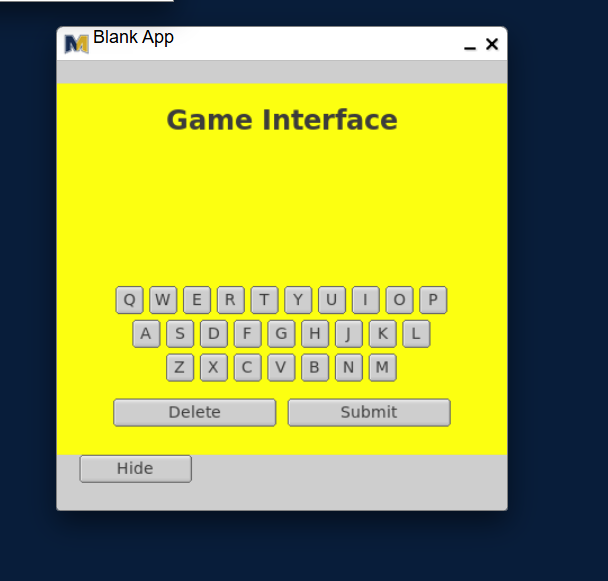
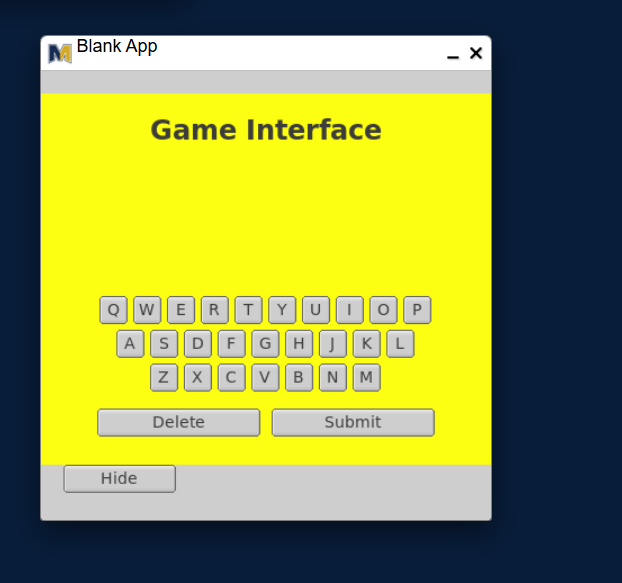
Between lines 19 and 34, we are creating the UI components for game interface. Startin from line 19, we are creating the Window at position (100, 100) with a width of 400px and height of 400px under the name Blank App.
After that, we also created another window with the same width except that the position is now at (0, 20) inside of the main window and the height is reduced to 330px. This window is colored yellow.
Focusing on that second window, we have the display textbox, which is centered at the middle called Game Interface. It is in bold with a font size 24px.
Moreover, we initialized the word textbox with an empty label at the center and set its font size to 18px. The reason why it’s empty is so that we could indicate the user has no input currently.
Lastly, we created the two buttons Delete & Submit in respect to the same position Y and same size where the submit button is farther to the right by the size of the delete button plus a 10px margin.
Keyboard Row
At lines 36-38, we are creating three keyboard rows with each corresponding to the letters of that row. And on the second argument of the initRow, we are specifying the starting position of where the buttons start.
If you had noticed that the other two keyboard rows are incrementing 30 px, it’s usually because each row after the first is to make up the button size X (25px) plus the button margin 5px. In every row, one keyboard button is lost after the previous row.
Look at your PC keyboard and notice the pattern of the number of keyboard buttons there are in each row.
void Application::initRow(std::string row, int y){ // string line1 = "QWERTYUIOP"; int width = window->w(); int rowWidth = (row.length() * 30) - 5; int x = (width - rowWidth) / 2; for (size_t i = 0; i < row.length(); i++){ string letter = ""; letter += row[i]; keyboard.push_back(new Button(x + (i * 30), y, 25, 25, letter)); ON_CLICK(keyboard.back(), Application::handleKeyboardClick); }}
Ending the game interface
Because we were done making the user interface for the second window, we ended the second window to stop collecting more UI components. (Line 41)
Adding the finishing touch
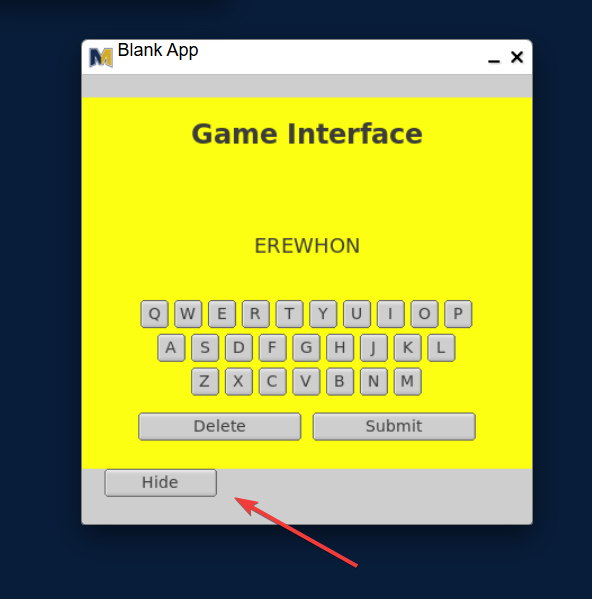
In line 44, we created a toggle button called Hide in position (20, 350) with a width of 100px and height of 25px.
### Binding the click events to each button
The last lines of the default constructor (lines 49-51) are binding the button in respect to its corresponding function.
Toggle click
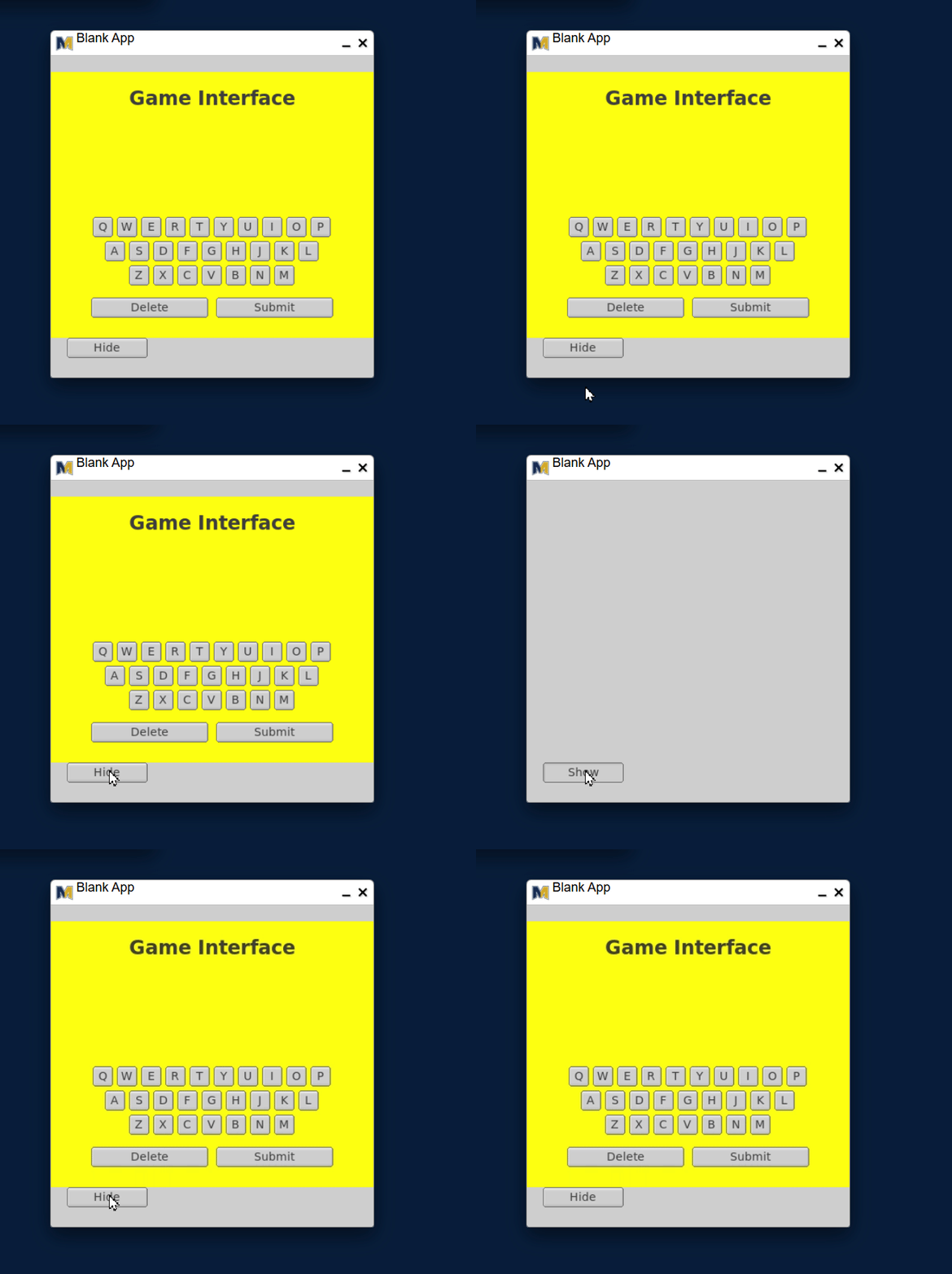
After the user clicks on the toggle button, the handle toggle function is triggered (line 61). The function inside determines the visibility of the game interface window under an if statement. The visibility of that window returns a true/false (in binary 1 for true and 0 for false). The if statement accepts only true conditions, therefore, if the game interface is visible, it will hide and changes the toggle label to Show. Otherwise, it does the opposite of the true condition—showing the game interface window and changing the toggle label to Hide.
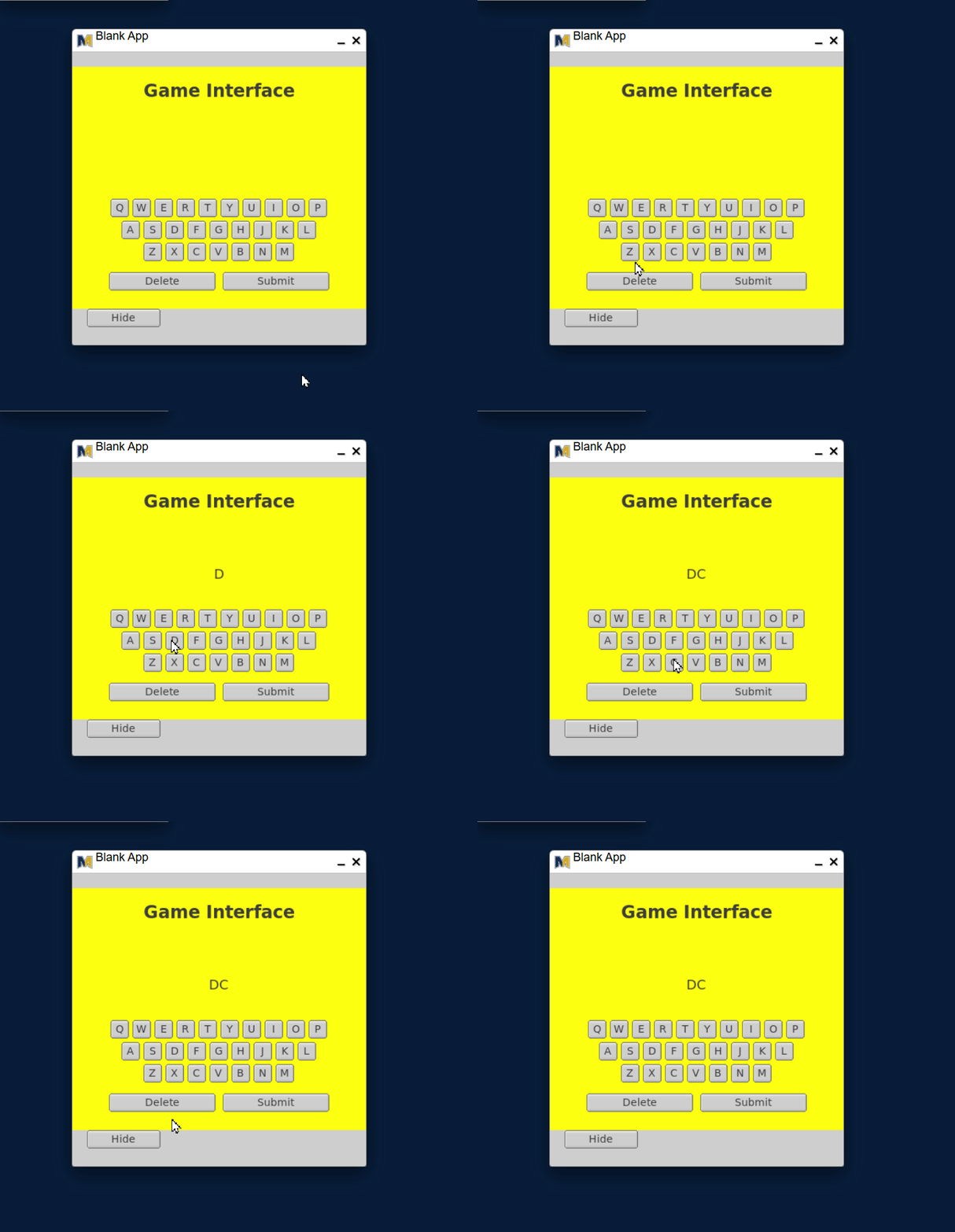
After the user clicks on any keyboard key button with a corresponding letter, the handle keyboard click function is triggered. (line 67) The function captures the letter of the triggered key button through extraction of its label and adds that onto the display input (aka concatenation) where the user could formulate a word.
void Application::handleKeyboardClick(Widget* sender){ string letter = sender->label(); // cout << "The letter " << letter << " was clicked..." << endl; string updated = wordTextBox->label() + letter; wordTextBox->label(updated);}
Delete click
After the user clicks on the delete button, the handle delete click function is triggered (line 90). The function retrieves the label of the word text box (where the user formulates a word by pressing keyboard buttons). Using that label in string, we will call substr to get almost the entire portion of the string except the last character of the current input. Once we extracted that portion, we change the label of the word textbox with that value.
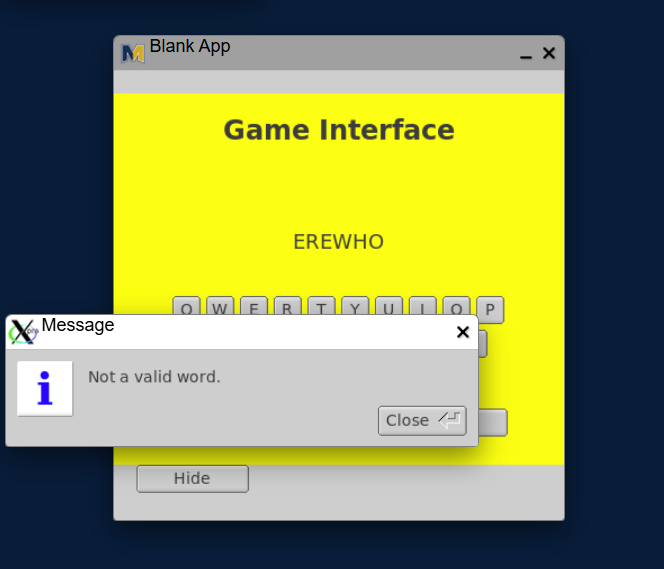
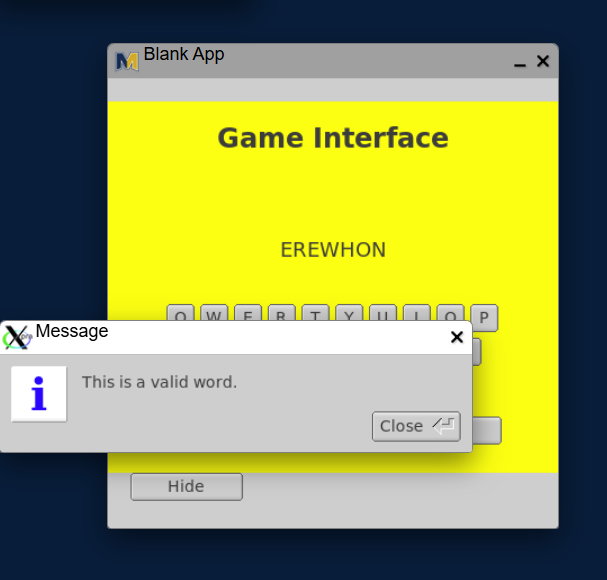
After the user clicks on the submit button, the click input calls the handle submit click function. (line 99) The function extracts the label of the word textbox in string. With that value on the first argument, we check that by calling the searchInList function. Remember that the if statement only accepts true conditions. Calling the searchInList function with the string value on the first argument returns true because the function type is bool. If the word (aka the label of the word textbox) is found, the condition is true; thus, the user gets a warning message This isa valid word.
void Application::handleSubmitClick(bobcat::Widget *sender){ // cout << "Clicked the submit button..." << endl; string word = wordTextBox->label(); if (searchInList(word)){ showMessage("This is a valid word."); } else{ showMessage("Not a valid word."); }}bool Application::searchInList(const std::string &word){ for (size_t i = 0; i < words.size(); i++){ if (words[i] == word){ return true; } } return false;}
General Questions
With the help of ChatGPT
Explain how the UI’s on-screen keyboard is constructed using a std::vector of Button * objects.
Describe the purpose of the yellow “gameInterface” window and how it is created in the constructor.
Given the row definition "ASDFGHJKL" at Y-position 210, explain how the function initRow determines the X-starting position for the buttons.
Write a line of code that binds the toggle button click event to its handler function in the example.
In the handleToggleClick function, explain what happens when gameInterface->visible() returns false.
Describe how clicking a keyboard letter button updates the user input wordTextBox label.
Explain how the program implements the “Delete” button functionality by manipulating the wordTextBox label string.
What does the method readFromFile() do with the file assets/english.txt, and why is makeUpper() used?
In the recap you see “UI components are positioned from the top left corner … if they are aligned to the center”. Explain what this means in terms of widget alignment.
Identify where in the code the toggleButton->label(“Show”) occurs and explain the context.
In the context of the keyboard layout, explain why each new button’s width and margin incorporate 25px size plus 5px margin.
Explain how searchInList(const std::string &word) works and returns a bool value.
What is the purpose of the keyboard vector of Button * objects and how is it populated?
Write the signature of the Application class as shown in the header file (inc/Application.h) including base class.
Describe the sequence of operations that occur when the user clicks the “Submit” button.
Explain why wordTextBox is initialized with an empty label in the UI constructor.
In your own words, define “toggle visibility of UI elements” as used in the lecture recap, and give the example from the code.
Explain the role of makeUpper(const std::string &s) in ensuring consistent comparisons within searchInList.
Describe how the button rows correspond to rows on a physical keyboard and how the initRow logic replicates that.
Explain what would happen if gameInterface->end() were omitted after adding its UI components.
Complex version
The Application constructor builds both mainInterface and gameInterface.
Explain, with reference to pointer allocation, what could occur if gameInterface were allocated as a local variable instead of with new.
Write the full implementation of handleToggleClick(bobcat::Widget *sender) that alternates the button label between "Show" and "Hide" while toggling gameInterface visibility.
Explain how the keyboard vector of Button * objects allows a dynamic keyboard layout to be generated from multiple rows. Include how initRow() uses the ASCII order of characters in the row string.
Suppose the string "ZXCVBNM" is passed to initRow with a Y-coordinate of 260.
Calculate the X-position of the last key if the starting position is 20 px and each button is 25 px wide with 5 px spacing. Show your steps.
In the recap, readFromFile() loads english.txt and fills a word list.
Explain how file I/O and std::getline interact when a line ends with a carriage return on Windows.
Write the function header and one possible body for bool searchInList(const std::string &word) that returns true only if the uppercase form of word is found in the loaded list.
Explain the significance of calling makeUpper() before performing the string comparison in searchInList. What potential bug does it prevent?
When a letter button is clicked, the label of wordTextBox is updated using
Trace the exact state of wordTextBox if the user presses “A”, then “B”, then “Delete”.
Consider this constructor excerpt:
bobcat::TextBox *title = new TextBox(130, 10, 140, 30, "Word Checker");
Explain how this line affects both rendering order and memory ownership within the Window.
The recap uses two windows: one visible and one hidden.
Explain, using control-flow reasoning, why gameInterface->end() must appear after all components are created.
Write a code segment that creates a “Clear” button positioned directly under Submit and binds it to handleClearClick.
The handler should reset wordTextBox to an empty string.
Given that the file may contain over 100,000 words, discuss the computational complexity of searchInList() as currently implemented, and propose one improvement using an appropriate STL container.
Explain what would happen if the keyboard vector were declared as a local variable inside initRow() rather than a member of the Application class.
The recap’s handleToggleClick() changes the label text dynamically.
Describe how the previous label state can be preserved between clicks without introducing a new class variable.
Write the destructor of the Application class that safely releases all dynamically allocated Bobcat widgets shown in the recap.
The recap states that the user’s typed word is checked when “Submit” is clicked.
Write the logical condition used inside handleSubmitClick() to verify if the typed word exists in wordList, then change the color of wordTextBox accordingly.
If the toggle button is clicked repeatedly while file loading is still in progress, describe what race condition or segmentation fault risk may occur, and explain how you would guard against it within the Bobcat event loop.
 ### Binding the click events to each button